



 EAMCET / ICET CODE : PRIW
Thought for the Day
Computer Science & Engineering(CSE) Laboratories
"Empowering minds, shaping futures — Priyadarshini College is where learning meets purpose."Data Structures Lab
The Data Structures Lab is a fundamental practical component in computer science engineering, designed to bridge the gap between theoretical concepts (algorithms, data organization) and practical implementation. It provides a hands-on environment for students to design, analyze, and implement linear and non-linear data structures using programming languages like C, C++, or Java.
Lab Objectives
- Practical Implementation: To write, debug, and execute programs for linear and non-linear data structures (arrays, linked lists, stacks, queues, trees, and graphs).
- Algorithm Proficiency: To enable students to implement and understand searching (linear/binary) and sorting techniques (bubble, selection, insertion, quick, merge).
- Performance Analysis: To teach students how to analyze the time and space complexity of different algorithms to determine their efficiency.
- Problem-Solving: To strengthen the ability to select the appropriate data structure for solving complex, real-world problems.
Lab Facilities:
- Hardware: Modern computer systems (typically PC with Pentium or higher processors) for running and testing codes.
- Software: Compilers such as GCC or Turbo C/C++ for Windows/Linux.
- Resources: Lab manuals, and in some cases, access to online coding platforms for practice (e.g., LeetCode, CodeChef)
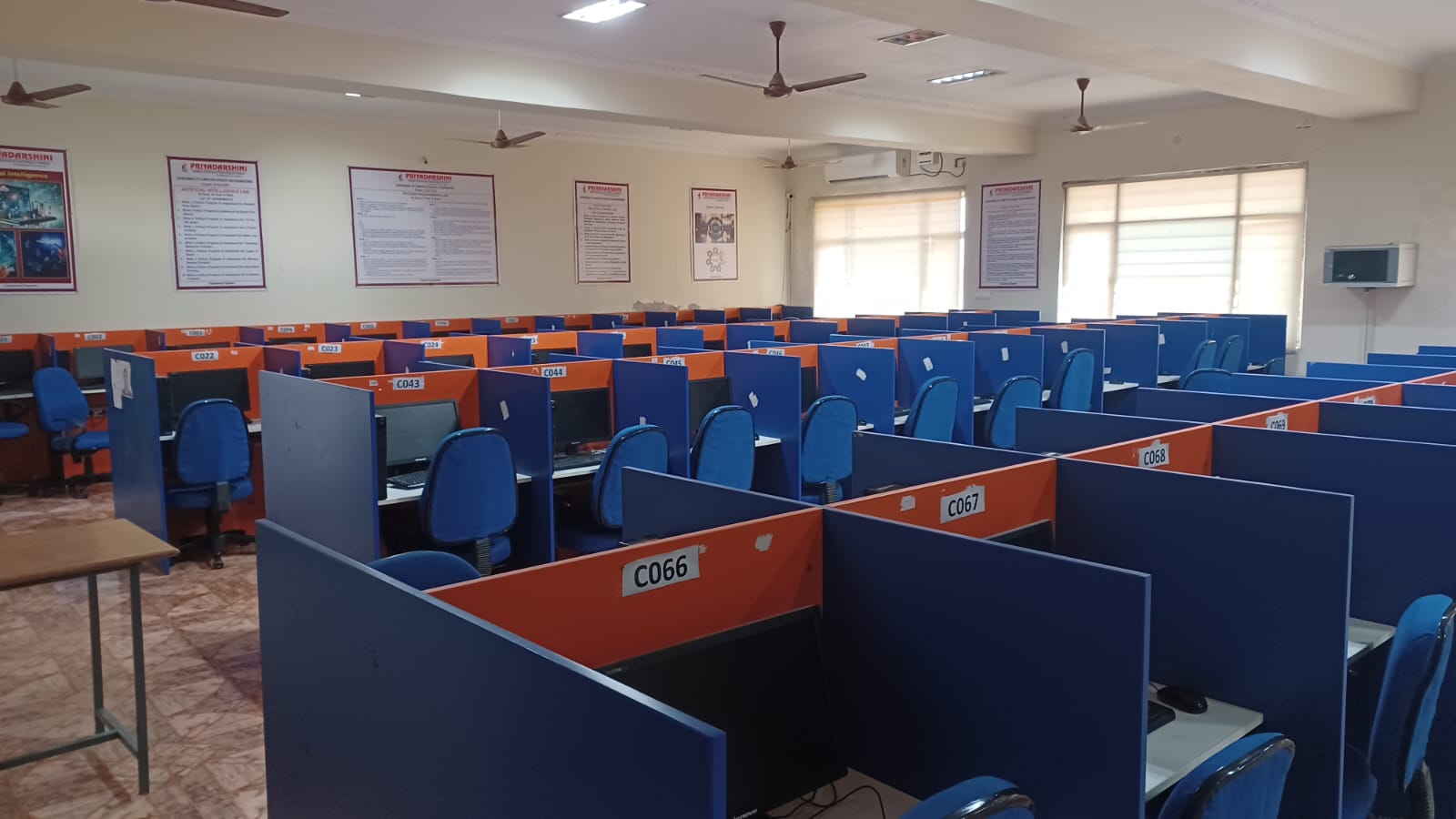
Object Oriented Programming through Java Lab
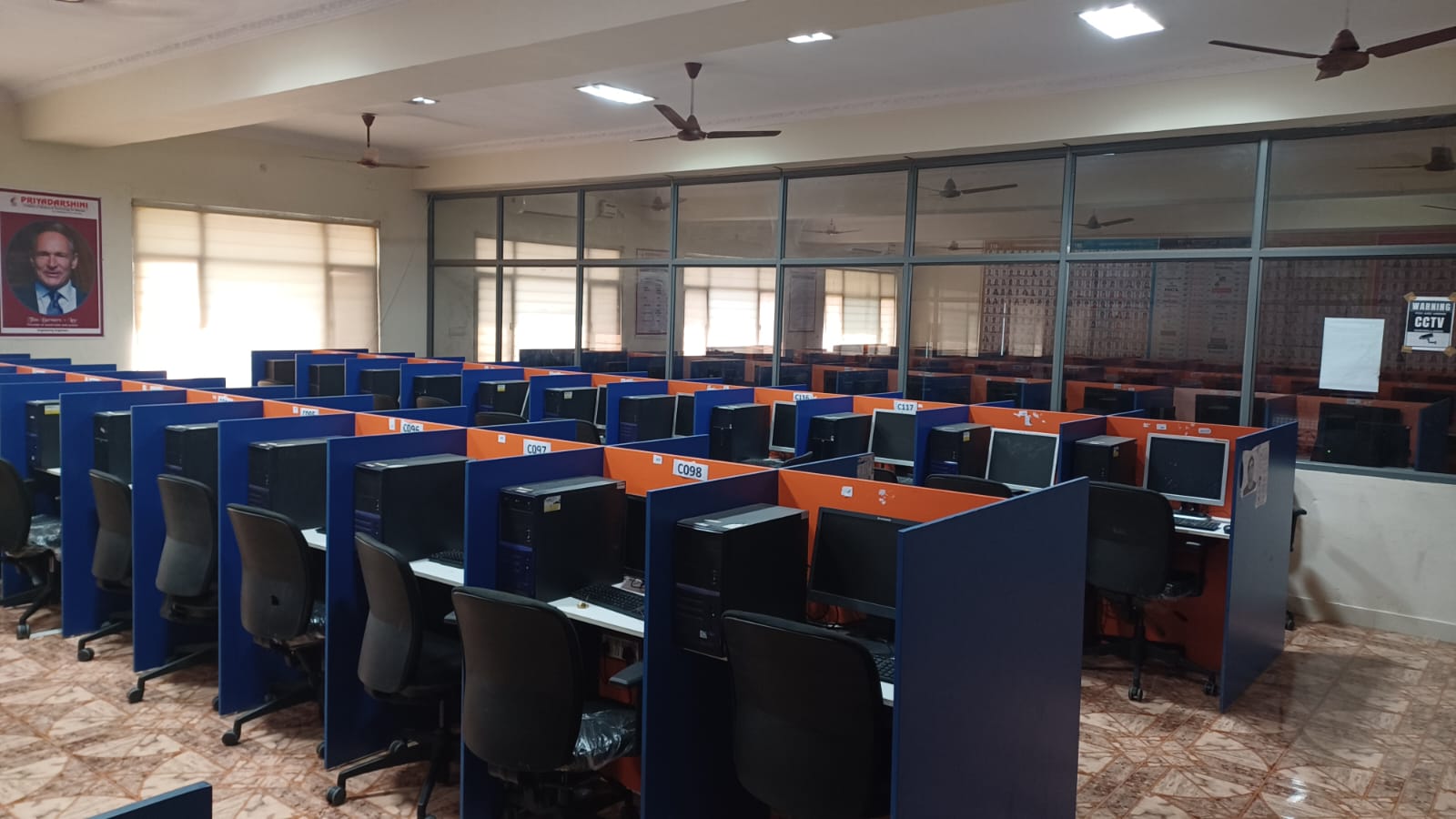
This lab course builds software development skills using the Java programming language. It emphasizes the practical implementation of core OOP principles through a series of experiments and projects. Topics covered generally include basic Java syntax, classes and objects, inheritance, polymorphism, abstraction, encapsulation, exception handling, multithreading, and graphical user interface (GUI) design
objectives :
- Introduce OOP concepts: To understand the fundamental features of object-oriented programming, such as encapsulation, inheritance, and polymorphism.
- Develop problem-solving skills: To equip students with the skills to apply OOP in solving various computing problems.
- Implement core features: To learn and implement concepts like classes, objects, methods, constructors, interfaces, and packages.
- Master error handling and concurrency: To understand and implement exception handling mechanisms and multithreading.
- Design interfaces: To learn the creation of user-defined packages, graphical user interfaces (GUIs) using AWT/Swing/JavaFX components, and event handling.
- Enhance professional skills: To improve individual/teamwork skills, communication, and report writing abilities with an ethical approach.
Facilities
- Hardware: Standalone desktop computers or a server supporting multiple terminals with high-end specifications.
- Software:
- Operating Systems: Linux/Windows.
- Development Environments: Java Development Kit (JDK).
- Integrated Development Environments (IDEs): Eclipse IDE, NetBeans IDE, or similar platforms are commonly used.
Outcomes
- Understand Java fundamentals: Comprehend the basics of Java programming language, including data types, operators, arrays, and control structures.
- Apply OOP techniques: Design and develop Java programs to solve real-world problems using classes, objects, inheritance, and polymorphism.
- Manage complex programs: Create packages for code reusability, manage I/O streams, and implement error handling with exception handling.
- Build interactive applications: Develop multithreaded applications and design effective GUI applications with event handling.
- Work with advanced concepts: Apply concepts of the Collection Framework and develop basic network or database connectivity (JDBC) programs.
Data visualization- R Programming/ Power BI
A data visualization lab using R Programming and Power BI is a practical course module designed to equip students with the skills to transform raw data into meaningful, interactive visualizations and analytical insights. The lab typically involves hands-on exercises to develop proficiency in both programming-based and drag-and-drop visualization tools.
Objectives
The primary objectives of the lab include:
- To introduce students to the R programming environment and the Microsoft Power BI platform.
- To equip learners with skills to clean, transform, and load data from various sources.
- To enable students to apply business intelligence (BI) technology to discern patterns and relationships within data.
- To develop the ability to create static plots using R and interactive, multi-visualization dashboard applications in Power BI.
- To teach effective communication of analytical results clearly and concisely through visual storytelling.
- To foster best practices in data analysis workflows, ensuring reproducibility and efficiency.
Facilities
Typical facilities required for this lab are standard computer lab environments equipped with:
- High-end computer systems capable of running data analysis software.
- Required Software:
- R and R Studio IDE (an integrated development environment for R).
- Microsoft Power BI Desktop (a free desktop application for creating reports).
- Access to the Power BI Service for publishing and sharing reports (often via organizational or educational licenses).
- Connectivity: Internet access for installing packages, accessing cloud services, and potentially integrating R with Power BI's online service.
- Datasets: Access to sample as well as real-world datasets for practical application.
Outcomes
- Demonstrate proficiency in R programming basics and data manipulation using packages like dplyr and ggplot2.
- Import and prepare data for analysis across different tools (R and Power BI).
- Apply dimensions and measures effectively in data analysis tasks to create various charts (e.g., line, bar, scatter plots, tree maps).
- Create and customize complex visualizations and link multiple visualizations to form comprehensive, interactive dashboards.
- Publish and deploy their analytical reports for sharing across an organization or online platforms.
- Solve real-world problems by applying statistical methods and data visualization techniques to uncover trends and patterns, thereby enabling data-driven decision-making
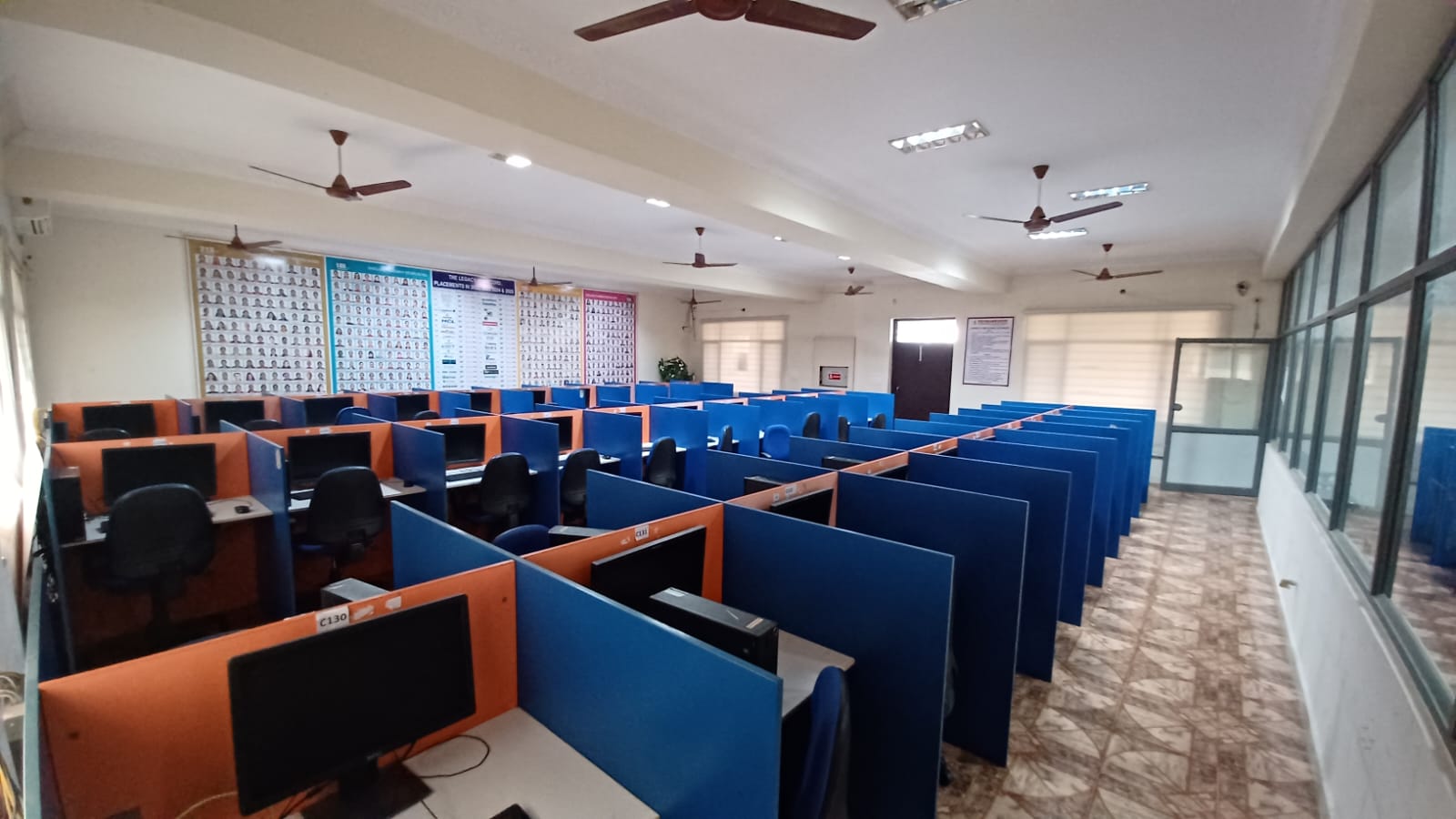
Operating Systems Lab
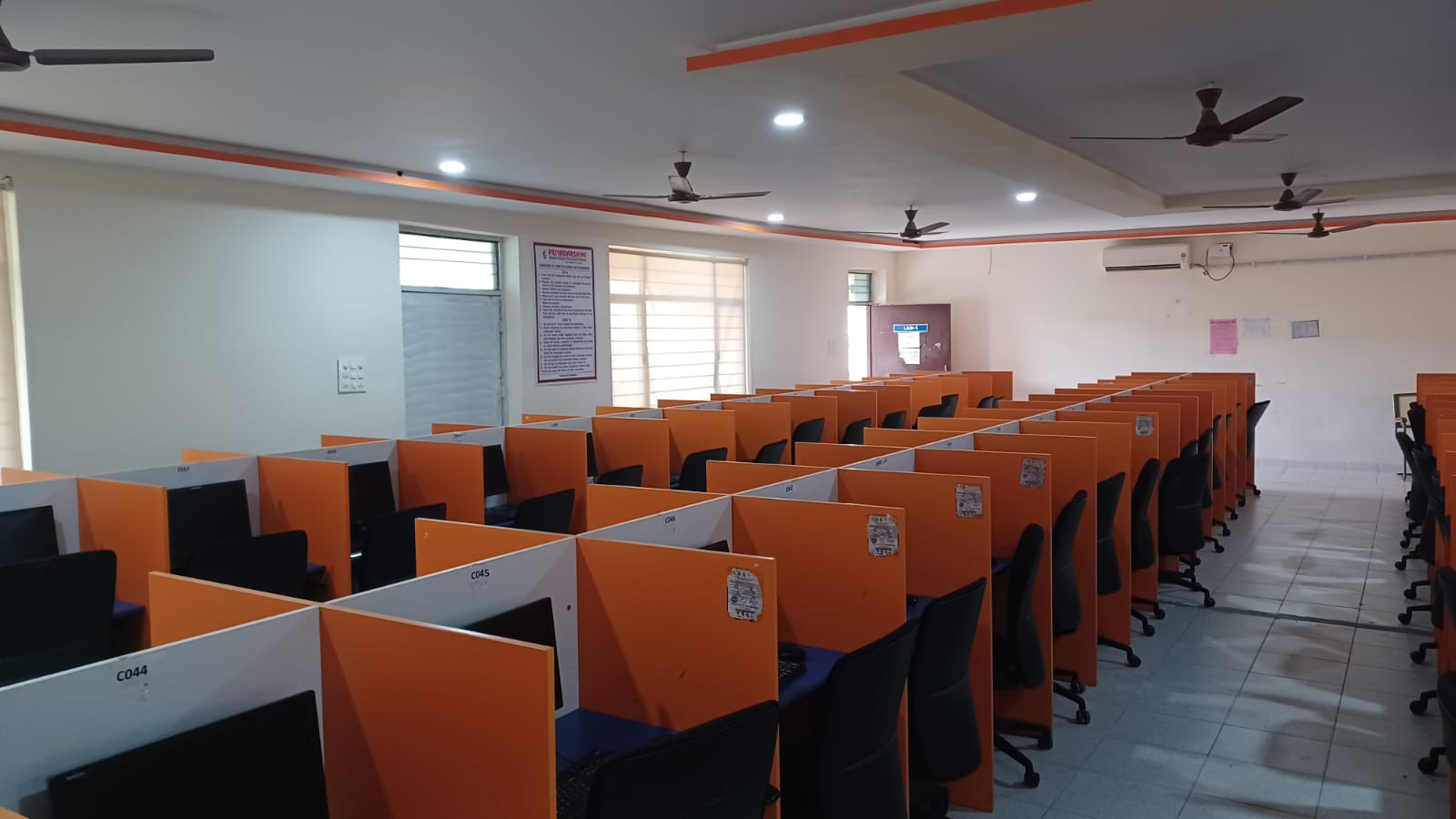
An Operating Systems (OS) Laboratory course is designed to provide hands-on experience with the theoretical concepts learned in the classroom, focusing on how the OS manages computer hardware and software resources. Students work in a Unix/Linux environment to implement system calls, process management, memory allocation, and file system organization.
Objectives
- Install and Configure: To familiarize students with installing operating systems, particularly Linux, and utilizing virtualization tools like VMware.
- System Call Implementation: To learn, implement, and understand the basic services and functionalities of an OS using system calls (e.g., fork, exec, wait, pipe).
- Algorithm Simulation: To design and implement CPU scheduling algorithms (FCFS, SJF, Round Robin, Priority) and page replacement algorithms (FIFO, LRU).
- Synchronization & IPC: To understand and solve inter-process communication (IPC) and synchronization problems using semaphores, pipes, and shared memory.
- Resource Management: To understand how the operating system manages resources like CPU time and memory efficiently.
Facilities & Tools
- OS/Environment: Linux/Unix (POSIX-compliant) system environment.
- Programming Languages: C or C++ compilers (gcc/g++).
- Virtualization: VMware or KVM for virtual machine deployment.
- Simulation Tools: Customized simulators for CPU scheduling, deadlock avoidance (Banker's Algorithm), and disk management.
- Documentation: Lab manuals, shell scripts, and debugging tools.
Course Outcomes
- 1: Implement and use system calls and shell commands in a Linux environment.
- 2: Develop solutions for process synchronization and inter-process communication (IPC) problems.
- 3: Simulate and analyze various CPU scheduling algorithms, such as FCFS, Round Robin, and SJF.
- 4: Implement memory management schemes and page replacement algorithms.
- 5: Create programs to handle deadlock detection and avoidance (Banker's Algorithm).
- 6: Simulate file organization and allocation techniques
Database Management Systems Lab
A Database Management Systems (DBMS) Lab focuses on providing practical, hands-on experience in designing, implementing, and managing database systems. It allows students to apply theoretical concepts from relational modeling to real-world applications using SQL and PL/SQL.
Objectives
- Database Modeling: To introduce and practice ER modeling, EER modeling, and UML diagram techniques for designing databases.
- Normalization: To teach normalization techniques for refining database schemas and reducing redundancy.
- SQL Mastery: To teach students how to write efficient SQL commands for data definition and manipulation.
- PL/SQL Programming: To provide hands-on experience in creating stored procedures, functions, triggers, and cursors.
- Application Development: To develop database applications by connecting backend databases with front-end tools.
Facilities & Tools
- Software: Commonly used software includes Oracle (SQL*Plus, Oracle Forms), MySQL, PostgreSQL, or SQL Server.
- Hardware: Networked personal computers with suitable specifications for running database servers.
- Tools: SQL interface tools, modeling tools (for designing ER diagrams).
- Resources: Comprehensive Lab Manuals, case studies, and mini-project guidelines
Outcomes
- Design and Create Schemas: Map entity-relationship diagrams into relational tables and design schemas for real-life problems.
- Implement SQL Commands: Master DDL/DML commands to create, modify, and manage database data.
- Normalize Databases: Apply normalization (1NF, 2NF, 3NF, BCNF) to ensure database refinement.
- Use PL/SQL: Develop database programs using triggers, procedures, and cursors to handle complex logic.
- Query Optimization: Construct complex SQL queries (nested queries, joins) and optimize performance
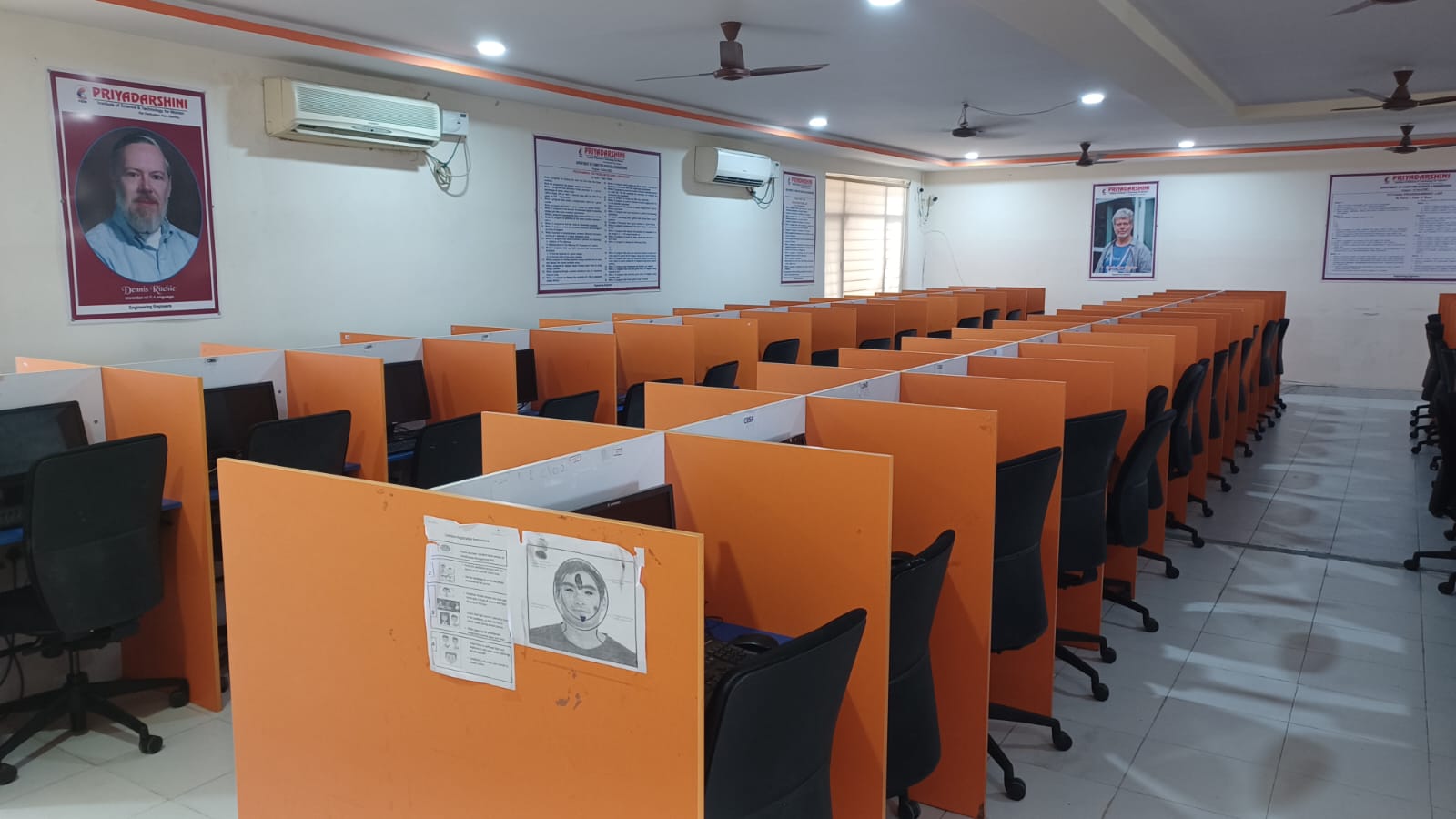
Computer Networks Lab

The Computer Networks Laboratory provides a hands-on learning environment for students to understand, design, configure, and analyze network architectures, protocols, and services. It bridges the gap between theoretical knowledge of network models (OSI/TCP-IP) and practical implementation, covering areas from physical layer cabling to application-layer protocol simulation.
Objectives
- Foundational Knowledge: To familiarize students with basic networking concepts, terminology, and layered architectures.
- Protocol Implementation: To implement and analyze data link layer protocols (Stop & Wait, Sliding Window) and routing algorithms.
- Network Simulation: To provide hands-on experience in designing and simulating wired/wireless networks using modern tools.
- Programming Skills: To master socket programming for client-server communication.
- Analysis and Troubleshooting: To capture, analyze, and troubleshoot network traffic using tools like Wireshark and Packet Tracer.
Facilities & Infrastructure
- Software/Simulators:
- Cisco Packet Tracer: For modeling, configuring, and visualizing complex network topologies.
- NS2/NS3: For detailed simulation of network protocols and performance evaluation.
- Wireshark: Network protocol analyzer for packet sniffing and traffic analysis.
- Programming Languages: C/C++ (Linux/Windows) for developing network applications.
- Hardware Components:
- Networking Devices: Routers, Switches (Layer 2/3), Hubs, Access Points.
- Transmission Media: UTP Cables (CAT-6), Coaxial Cables, Fiber Optic Connectors.
- Tools: Crimping tools, LAN testers for physical cable preparation.
- Network Environment: Local Area Network (LAN) setups to practice TCP/IP configuration, VLANs, and sub-netting.
Outcomes
- Configure and Assemble: Design and implement basic LAN topologies using switches and routers.
- Implement Protocols: Develop C/C++ programs to implement networking protocols and socket programming.
- Simulate and Evaluate: Use NS2/NS3/Packet Tracer to analyze performance parameters like throughput, delay, and packet drop.
- Use Diagnostic Tools: Utilize network commands (ping, traceroute, ifconfig) and packet sniffers (Wireshark) to troubleshoot network issues.
- Understand Layered Architecture: Analyze network behavior and traffic at different OSI model layers.
- Cable Preparation: Perform physical layer tasks like preparing UTP cables for crossover and direct connections
DevOps Lab
A DevOps Lab is a specialized computing environment designed to facilitate hands-on learning and implementation of DevOps principles, focusing on bridging the gap between software development (Dev) and IT operations (Ops). It enables automation, continuous integration/continuous deployment (CI/CD), and infrastructure management
Objectives
The lab aims to enable hands-on experience with modern DevOps practices, including:
- Automation: Implementing CI/CD pipelines and Infrastructure as Code (IaC) to reduce manual tasks.
- Collaboration: Bridging the gap between development and operations teams.
- Security: Integrating security (DevSecOps) directly into the development lifecycle.
- Efficiency: Accelerating feedback loops through real-time monitoring.
Facilities & Key Tools
- Hardware: High-end computer systems (typically 30 PCs per batch) with stable internet connectivity to download and install various plugins and tools.
- Core Software & Tools:
- Version Control: Git, GitHub, or GitLab.
- Build Automation: Maven or Gradle.
- Continuous Integration: Jenkins or Azure DevOps.
- Containerization & Orchestration: Docker and Kubernetes.
- Configuration Management: Ansible, Puppet, or Chef.
- Automated Testing: Selenium for web application testing.
- Cloud Infrastructure: Access to cloud platforms like AWS, Microsoft Azure, or Google Cloud for deploying applications.
Lab Outcomes
Upon successful completion, students are expected to be able to:
- Identify Components: Recognize and select appropriate components of a DevOps environment.
- Apply Tools: Use various project management, integration, testing (e.g., Selenium), and code deployment tools effectively.
- Implement Pipelines: Demonstrate the ability to perform automated Continuous Integration and Deployment using Jenkins or cloud-based tools.
- Manage Configuration: Perform automated configuration management using tools like Ansible.
- Adopt DevOps Culture: Collaborate effectively in real-time projects and apply agile principles to solve complex engineering problems

Machine Learning Lab
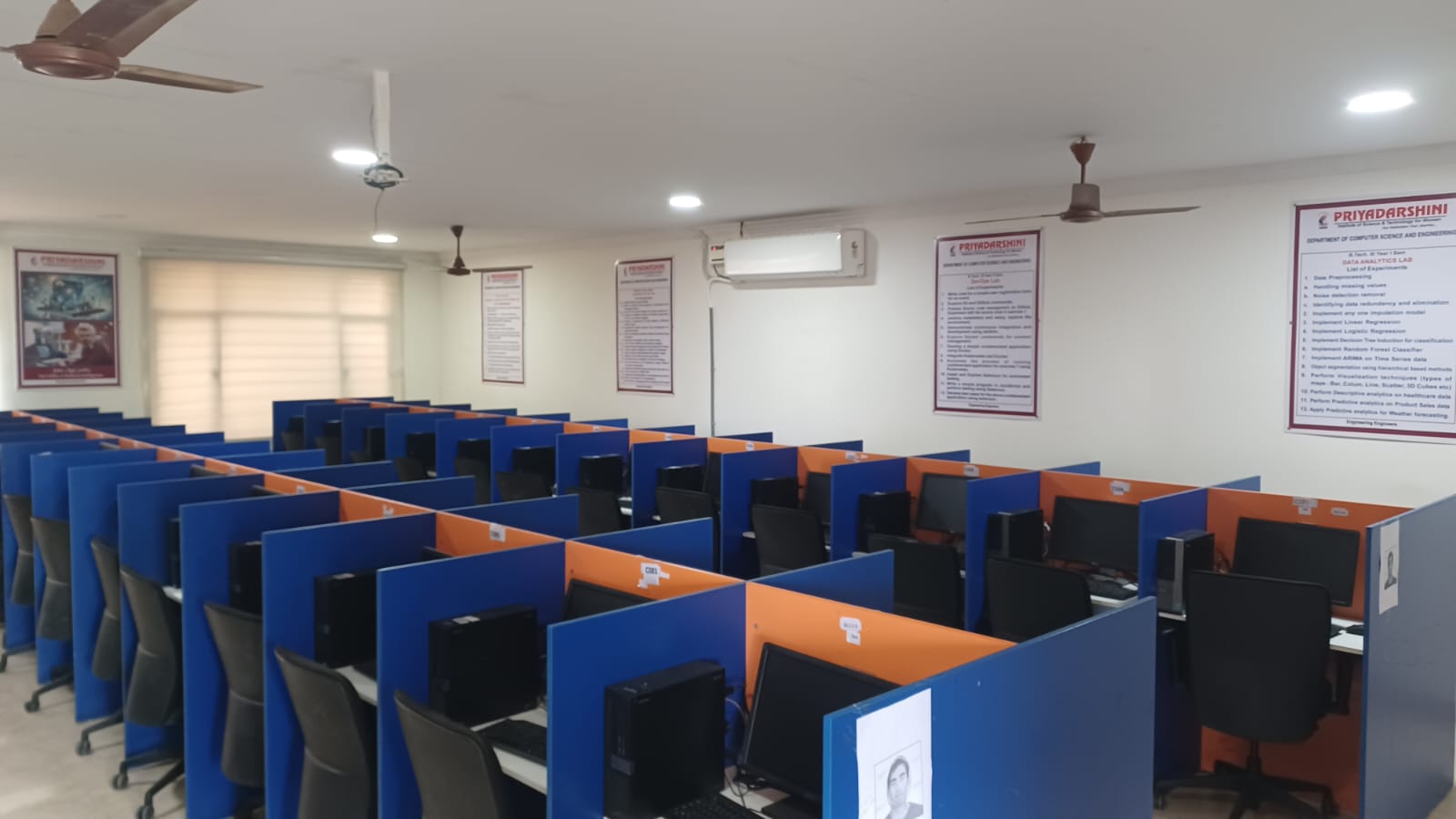
A Machine Learning (ML) Lab is a specialized computing environment designed to facilitate the study, development, and application of algorithms that enable computers to learn from data. These labs provide the necessary hardware, software, and data resources to train, evaluate, and deploy predictive models.
Objectives
- Practical Skills: To equip learners with hands-on experience in implementing supervised and unsupervised learning algorithms (e.g., KNN, Decision Trees, Random Forest, SVM).
- Algorithm Analysis: To analyze and compare the performance of different ML models to select the most appropriate for a given task.
- Data Handling: To develop proficiency in data pre-processing techniques, including cleaning, handling missing values, and normalization.
- Real-World Application: To solve complex problems using modern tools like TensorFlow, PyTorch, or Scikit-Learn
Facilities & Infrastructure
- Hardware: High-performance workstations with GPU clusters (essential for deep learning), high-capacity RAM, and large storage systems for massive datasets.
- Software/Platforms: Python (Anaconda, Jupyter Notebooks), R, Weka, and specialized AutoML tools.
- Libraries: Access to libraries such as TensorFlow, PyTorch, Scikit-Learn, Keras, Pandas, and NumPy.
- Collaboration Tools: Version control systems (e.g., Git) and cloud computing platforms.
Outcomes
- Understand and Implement: Successfully implement and demonstrate ML algorithms to solve real-world problems.
- Evaluate Models: Evaluate algorithm performance using metrics like accuracy, precision, recall, and F1-score.
- Process Data: Efficiently clean, pre-process, and analyze raw datasets.
- Apply Deep Learning: Apply basic concepts of neural networks and deep learning for advanced pattern recognition.
- Compare Techniques: Compare and select the best model based on dataset characteristics and application requirements
Artificial Intelligence Laboratory
An Artificial Intelligence (AI) Laboratory is a specialized research and development environment designed to foster innovation, collaboration, and experimentation in machine learning, data science, and intelligent systems. These labs, utilized by academic institutions, tech companies, and research organizations, serve as hubs for creating AI-powered solutions, training future professionals, and addressing complex, real-world challenges.
Objectives
- Advanced Research: To conduct foundational research on novel AI algorithms, models, and architectures.
- Practical Application: To translate theoretical AI research into applications for domains such as healthcare diagnostics, agriculture, finance, and smart city infrastructure.
- Skill Development: To train students and researchers in AI techniques through hands-on experience with modern tools.
- Ethical AI Development: To address bias, safety, privacy, and security in AI systems.
- Innovation Catalyst: To foster innovation by allowing researchers to test, validate, and iterate on AI prototypes
Facilities
- High-Performance Computing (HPC): GPU clusters (e.g., NVIDIA GPUs) for training complex deep learning models.
- Software Ecosystem: Specialized platforms like TensorFlow, PyTorch, Jupyter Notebooks, and CAD/robotics software.
- Data & Storage: Large-scale data storage systems to manage petabytes of data for model training.
- Edge AI Tools: Edge devices and AI development kits for testing real-time applications.
- Experimental Setups: Robotics arms, vision cameras, and sensor technologies for AI perception and action experiments.
Outcomes
- Enhanced Research Capabilities: Improved ability to process large datasets and achieve superior diagnostic accuracy in medical fields.
- Trained Professionals: Graduates and researchers with practical, marketable skills in machine learning, data science, and AI deployment.
- Innovative Solutions: Development of novel AI models (e.g., CNNs for disease detection) and automation tools.
- Improved Workflows: Automation of repetitive tasks (e.g., sample management, data analysis), leading to reduced errors and increased laboratory efficiency.
- Industry Collaboration: Strengthened ties between academia and industry, resulting in technology transfers and commercializable products

Cryptography and Network Security Lab

The Cryptography and Network Security Laboratory is a specialized computing environment designed to provide students with hands-on experience in protecting information systems. It focuses on the implementation of cryptographic algorithms, analysis of network vulnerabilities, and application of security protocols to ensure confidentiality, integrity, and authentication.
Lab Objectives
The primary objectives of the Cryptography and Network Security Lab are to enable students to:
- Understand & Implement Cryptography: Implement various encryption techniques (symmetric/asymmetric) to ensure data confidentiality and integrity.
- Analyze Security Mechanisms: Study and implement authentication protocols, message digests, and digital signatures.
- Explore Network Tools: Gain proficiency in network reconnaissance tools, sniffer tools (Wireshark), and port scanners (Nmap) to analyze network traffic.
- Identify Vulnerabilities: Explore various attacks, such as buffer overflows, DoS attacks, and web application attacks.
- Configure Defense Systems: Learn to set up and configure firewalls and Intrusion Detection Systems (IDS)
Facilities
The lab is typically equipped with systems running Linux/Windows and specialized security software. Key facilities include:
- Programming Environment: C/C++ or Java compilers for implementing algorithms.
- Packet Analyzers: Wireshark, Ethereal, TCPDump.
- Security & Penetration Testing Tools: Kali Linux, Nmap, Hping, Ollydbg, Netstat.
- Cryptographic Libraries: OpenSSL, Python (PyCryptodome).
- Virtual Labs: Use of online virtual labs for security simulations (e.g., IIIT-H Virtual Lab)
Outcomes
1: Implement classic and modern cryptographic algorithms like Caesar Cipher, Hill Cipher, DES, AES, and RSA in C/C++/Java.
2: Apply hash functions (MD5, SHA-1) and digital signatures to verify data integrity and authenticate users.
3: Use packet sniffing tools to analyze network traffic and identify potential security threats.
4: Simulate and understand security attacks, including Buffer Overflow, SQL Injection, and Denial of Service (DoS).
5: Configure firewall rules and Intrusion Detection Systems (IDS) to protect network resources.
6: Understand and implement key exchange mechanisms such as Diffie-Hellman.
Compiler Design Lab
The Compiler Design Lab is a critical component of computer science and engineering curricula, focusing on the practical implementation of techniques used to translate high-level programming languages into machine-understandable code. It provides hands-on experience with tools like LEX/Flex and YACC/Bison to build various phases of a compiler.
Objectives
- Understand Compiler Principles: To understand the fundamental principles, techniques, and algorithms involved in compiler construction.
- Learn Tools: To gain practical proficiency in compiler writing tools (LEX, YACC/Bison).
- Implement Phases: To implement lexical analyzers (scanners) and different types of parsers (LL, LR, Recursive Descent).
- Code Optimization: To learn techniques for intermediate code generation and optimizing generated code for performance.
- Bridge Theory & Practice: To apply theoretical concepts from Automata Theory and Formal Languages to practical software development
Facilities
- Hardware: Pentium processors or modern desktop systems with adequate RAM (typically 128MB+ for older, higher for modern).
- Operating System: Linux/Unix environment is preferred (e.g., Ubuntu, Fedora) due to native support for Lex/Yacc.
- Software/Tools:
- Languages: C, C++.
- Lexical Analyzer Tools: Lex, Flex, JLex.
- Parser Generators: Yacc, Bison.
- Assemblers: 8086 Assembler (for backend tasks).
- IDE: GCC compiler or integrated environments
Outcomes
1: Design and implement lexical analyzers (scanners) using C or Lex tools to ignore whitespace, recognize tokens, and identify patterns.
2: Develop parser specifications (YACC/Bison) to recognize valid syntactic structures for a given grammar.
3: Construct intermediate code representations, such as Three-Address Code or Syntax Trees.
4: Implement parsing algorithms (top-down, bottom-up, recursive descent) for expression parsing.
5: Apply optimization techniques such as constant propagation and loop unrolling to improve code performance.
6: Design and implement a complete compiler for a small, simple programming language
Data Analytics lab
A Data Analytics Laboratory is a specialized academic or industrial environment designed to equip students and researchers with hands-on skills in data processing, analysis, visualization, and interpretation. It bridges theoretical concepts with practical application using modern tools and techniques.
Objectives
- Technical Skill Building: To impart knowledge on tools and programming languages (Python, R, SQL) needed for analytics.
- Data Preprocessing: To train on cleaning data, handling missing values, identifying outliers, and reducing data redundancy.
- Analytical Techniques: To implement algorithms such as Linear/Logistic Regression, Decision Trees, K-Means Clustering, and Naïve Bayesian classifiers.
- Visualization: To teach effective data visualization using tools like Tableau, Power BI, or Python libraries (Matplotlib, Seaborn) to represent data visually.
- Big Data Exposure: To introduce big data processing technologies like Hadoop and HDFS for distributed storage and processing
Facilities
- Hardware: High-end computing workstations equipped with modern processors to handle intensive data analysis tasks.
- Software & Tools:
- Languages & IDEs: Python (with Anaconda/Jupyter Notebooks), RStudio.
- Libraries: Pandas, NumPy, Scikit-learn, Matplotlib.
- Big Data Frameworks: Hadoop, HDFS, Spark, MapReduce.
- Databases: MongoDB, HBase, MySQL, MS SQL Server.
- Visualization Tools: Tableau, Power BI.
- Resources: Access to real-world datasets, lab manuals, and cloud-based platforms for hands-on experiments
Outcomes
- Proficiency in Analysis: Ability to clean, transform, and prepare data for analysis.
- Modeling Skills: Competence in building and evaluating predictive and descriptive models.
- Visualization Ability: Capability to create interactive dashboards and reports to communicate insights.
- Algorithm Application: Ability to apply machine learning algorithms to solve real-world problems.
- Industry Readiness: Knowledge of data tools that enhance employability in fields like data science, business intelligence, and research.
Software Testing Methodologies lab
The Software Testing Methodologies Lab provides hands-on experience in identifying software defects, validating requirements, and ensuring quality using tools like Selenium or WinRunner. It covers testing types (unit, integration, system) and strategies (path, dataflow, logic-based). Key outcomes include designing test cases, automating testing, and conducting structural/functional testing to ensure high-quality software delivery.
Objectives
- To understand the core concepts and techniques of software testing, including test case design and management.
- To master structural testing techniques, such as path testing and data flow testing.
- To learn and apply functional testing methodologies to meet user requirements.
- To gain hands-on experience with automated testing tools for bug discovery.
- To understand the importance of regression testing in the software development lifecycle.
Facilities
- Software: Testing tools such as Selenium (web testing), JUnit, WinRunner, or similar automated testing platforms.
- Environment: Computers with necessary compilers and IDEs for unit testing (e.g., C/C++/Java/Python).
- Documentation: Access to software requirement specifications (SRS) and case studies.
Outcomes
- Analyze & Design: Ability to design test cases and test plans based on requirements.
- Structural Testing: Ability to perform path, data flow, and transaction testing.
- Automation: Ability to automate test cases using tools.
- Validation: Ability to identify bugs, conduct regression testing, and validate software against specifications.
- Documentation: Ability to generate comprehensive bug reports and test results.
UI design- Flutter LAB
Flutter is an open-source UI software development kit by Google for building natively compiled applications for mobile, web, and desktop from a single codebase using the Dart language. It is known for its high-performance rendering engine, "Hot Reload" feature for fast development, and a rich set of customizable, expressive widgets
- Master Flutter Framework: Understand architecture, widget tree, and rendering mechanisms.
- Design & Implementation: Create visually appealing, responsive user interfaces.
- State Management: Explore techniques like setState, Provider, and Bloc.
- Navigation & Styling: Implement navigation, routing, themes, and animations
- SDK & Tools: Flutter SDK and Dart SDK.
- IDE/Editor: Android Studio, VS Code, or IntelliJ IDEA.
- Emulators/Devices: Android Virtual Device (AVD) or iOS Simulator.
- Debugging Tools: Flutter DevTools for performance profiling and UI inspection.
- Responsive Applications: Ability to build apps that adapt to various screen sizes.
- Custom UI Components: Capability to create custom widgets and complex layouts.
- API Integration: Proficiency in fetching and displaying data from REST APIs.
- Deployment: Ability to deploy apps on different platforms (Android