


 EAMCET / ICET CODE : PRIW
Thought for the Day
CSE-Artificial Intelligence and Machine Learning(AI&ML) Laboratories
"Empowering minds, shaping futures — Priyadarshini College is where learning meets purpose."IT Workshop
The purpose of this lab is to work on working PC dissemble and assemble to working condition, install LINUX and WINDOWS on the same PC and also enable in drafting professional word documents, excel spread sheets and powerpoint presentations using MS OFFICE.

Operating Systems Lab
The purpose of this lab is to provide a general understanding of the structure and key functions of the operating system. Compare and contrast the common algorithms used for both pre-emptive and non-pre-emptive scheduling of tasks in operating systems, such as priority and performance comparison.

The Programming for Problem Solving Laboratory
The Programming for Problem Solving Laboratory is a fundamental practical course designed to bridge the gap between theoretical computer science concepts and practical implementation, usually utilizing the C programming language. It focuses on enabling students to analyze, design, code, and debug programs to solve real-world problems.
OBJECTIVES
- Algorithmic Thinking: To impart knowledge about defining, structuring, and solving problems using algorithms and flowcharts.
- C Programming Proficiency: To familiarize students with the syntax and semantics of the C language.
- Structured Approach: To teach modular, reusable, and readable coding techniques.
- Debugging Skills: To enable students to identify and correct syntax and logical errors in their code.
- Practical Tool Usage: To understand how to utilize tools for searching, sorting, and manipulating data
FACILITIES
- Operating Systems: Windows or Linux-based systems.
- IDE/Compilers: Code::Blocks, Turbo C, GCC, or Visual Studio Code, used for editing, compiling, and debugging.
- Lab Resources: Access to computers, high-speed internet for online judges (e.g., URI/Code::Blocks), and lab manuals.
- Documentation: Digital notes and structured lab manuals.
OUTCOMES (COs)
- Formulate algorithms and design flowcharts for arithmetic and logical problems.
- Implement C programs using control structures (if-else, switch, loops).
- Apply modular programming techniques using functions and recursion.
- Utilize pointers and arrays for efficient data manipulation (sorting/searching).
- Develop programs for data management using structures, unions, and file handling (text/binary).
- Debug and test programs to ensure accurate output
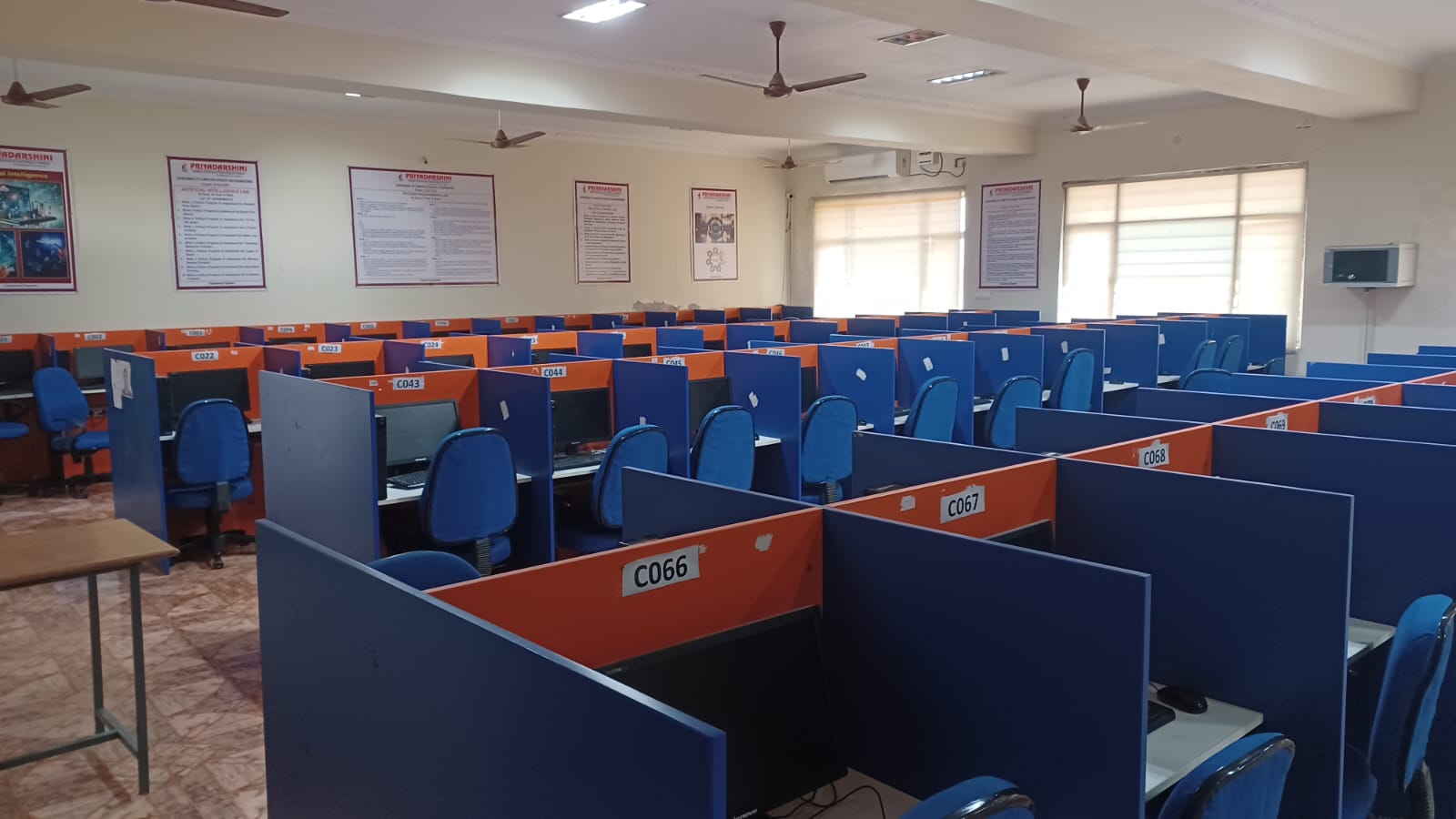
Python Programming Laboratory
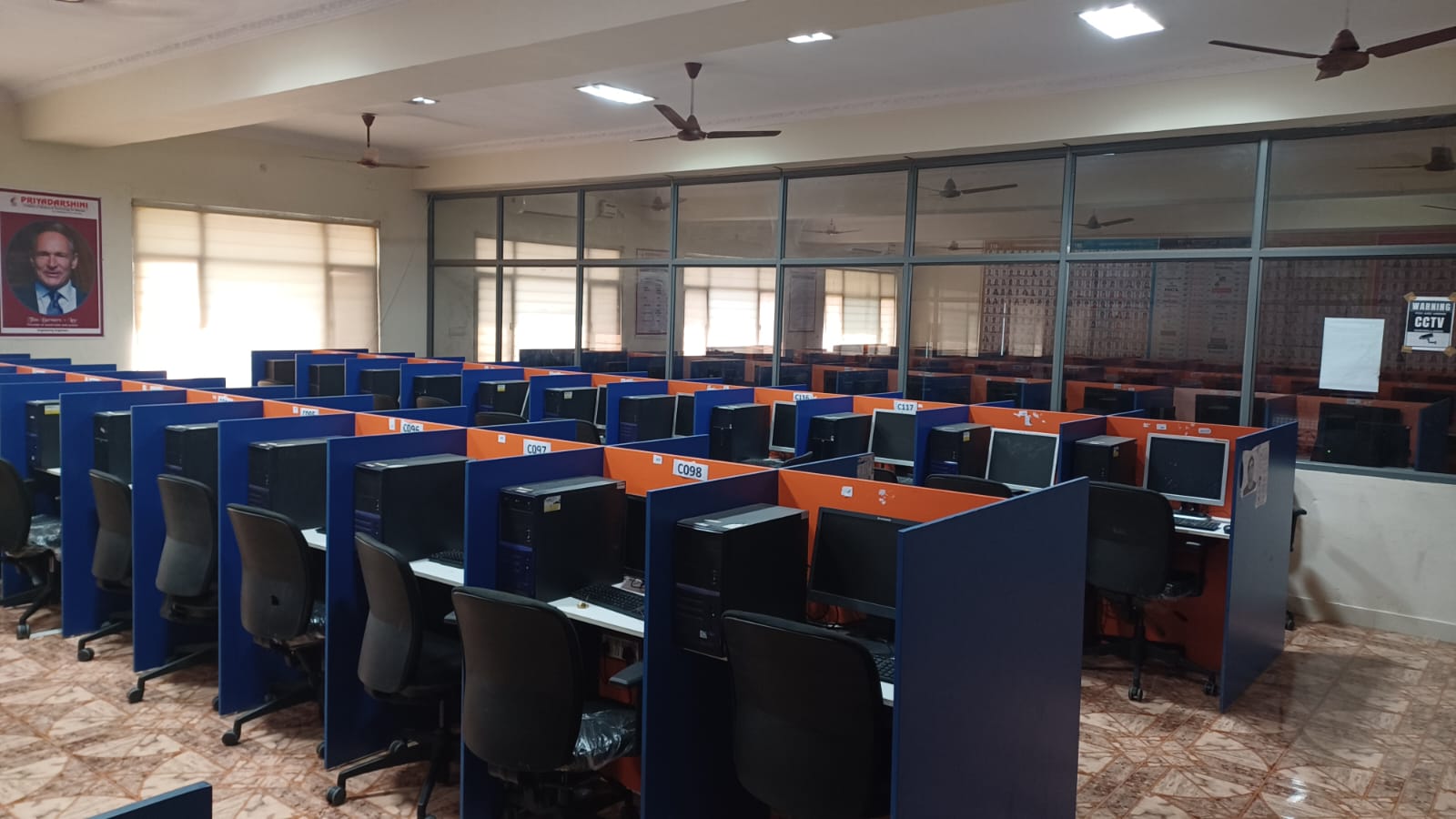
The Python Programming Laboratory is designed to provide students with hands-on experience in one of the most popular, high-level, and versatile programming languages. It bridges the gap between theoretical knowledge of Python syntax and practical application, focusing on problem-solving, data manipulation, and software development.
Objectives
- Acquire Core Skills: Learn Python syntax, semantics, and fundamental programming concepts.
- Implement Control Structures: Develop proficiency in using loops and conditional statements.
- Master Data Structures: Understand and apply Python’s native data structures (Lists, Tuples, Dictionaries) to manage compound data.
- Apply Modular Programming: Structure code using functions and modules to improve reusability.
- Handle Data & Files: Read/write data from/to files and handle exceptions efficiently.
- Implement OOPs: Understand Object-Oriented Programming concepts like classes and objects
Facilities
The laboratory is equipped with state-of-the-art infrastructure to support learning:
- Hardware: High-speed computer workstations for students.
- Software: Python Interpreter (latest version), IDLE, and modern IDEs (Anaconda, VS Code, PyCharm).
- Libraries & Tools: Pre-installed packages for data analysis and visualization, including NumPy, Pandas, and Matplotlib.
- Environment: Typically on a Linux or Windows platform with internet access for research and documentation.
Outcomes
Upon completion of the Python Laboratory, students will be able to:
- Write and Debug: Write, test, and debug simple to complex Python programs.
- Structure Data: Represent and manipulate compound data using lists, tuples, and dictionaries.
- Solve Problems: Apply modular programming techniques (defining and calling functions) to solve real-world problems.
- Perform I/O Operations: Read, write, and manage file operations, including handling exceptions.
- Develop Applications: Build functional applications, including GUI-based applications, using OOP principles.
Introduction to Data Structures Lab
The Data Structures Lab is a practical course designed to transition students from theoretical understanding to coding proficiency. Students implement fundamental data structures, analyze their performance, and apply them to solve real-world problems.
Objectives
The primary objectives of this lab are:
- Practical Application: To write and execute programs in C/C++ to solve problems using fundamental data structures.
- Performance Analysis: To understand and analyze the time and space complexity (Big O) of algorithms and data structures.
- Linear Structures Implementation: To gain hands-on experience with arrays, linked lists, stacks, and queues.
- Non-Linear Structures Implementation: To learn the implementation of binary search trees, AVL trees, and graph traversal techniques.
- Searching and Sorting: To implement and compare various sorting (e.g., Quick sort, Merge sort) and searching (e.g., Binary search) algorithms
Facilities
- Hardware: Modern computer systems networked together, capable of running IDEs and compilers.
- Software: Compilers for C/C++ (e.g., GCC) or IDEs (e.g., Code::Blocks, Dev-C++, Visual Studio).
- Learning Materials: Lab manuals containing problem statements, algorithm explanations, and expected outputs.
- Environment: Access to debugging tools and performance tracking tools.
Outcomes (COs)
Upon successful completion of the lab, students will be able to:
- Implement and analyze various linear data structures (stacks, queues, linked lists) using static and dynamic memory management.
- Implement non-linear data structures (trees and graphs) and perform operations such as traversal and searching.
- Apply appropriate searching and sorting techniques to solve problems efficiently.
- Choose the most appropriate data structure to solve real-world data management challenges.
- Develop, debug, and test complex algorithms, handling potential errors and corner cases.
- Evaluate the performance of different data structures using asymptotic notation.
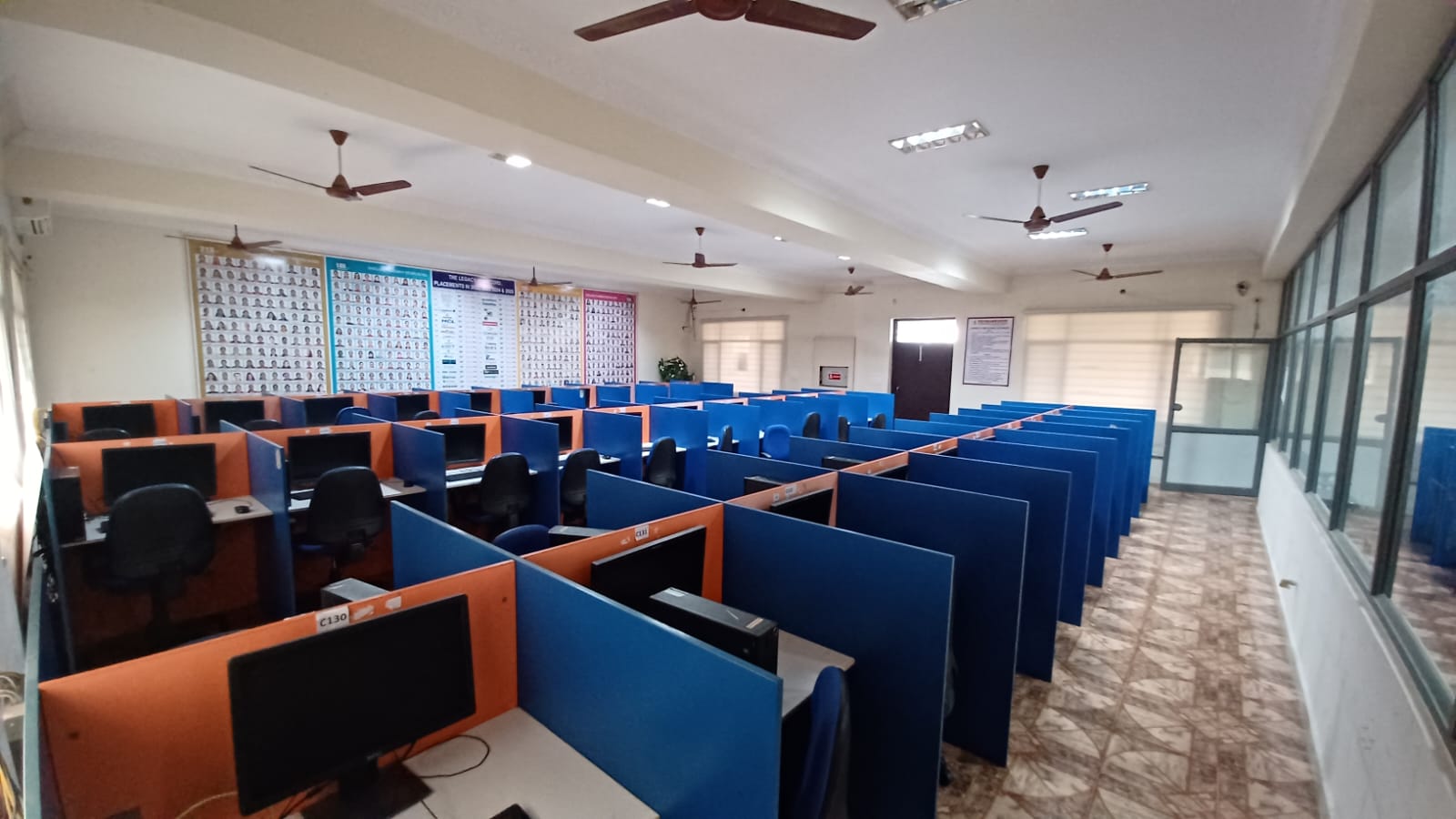
Operating Systems Lab
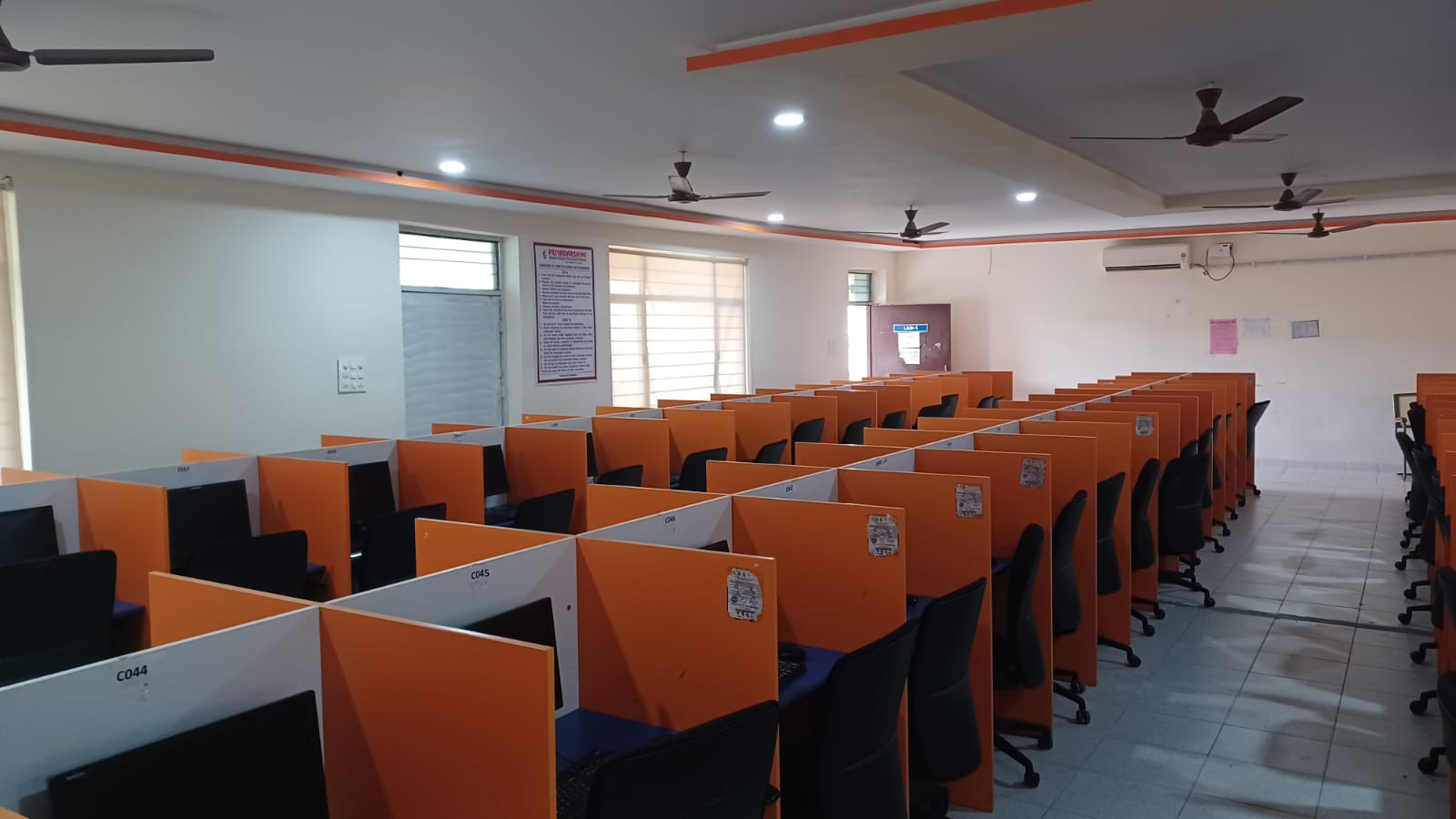
The Operating Systems (OS) Lab is a core practical component in computer science engineering, designed to bridge the gap between theoretical OS concepts and practical implementation. It provides hands-on experience in understanding how operating systems manage hardware resources, process synchronization, memory, and file systems
Objectives
- System Calls & Interfacing: To understand and implement basic OS functionalities using system calls (e.g., fork(), exec(), wait(), exit()).
- Algorithm Simulation: To design and simulate CPU scheduling algorithms (FCFS, SJF, Priority, Round Robin) and page replacement algorithms (FIFO, LRU, Optimal).
- Resource Management: To understand deadlock characterization, prevention, and avoidance using algorithms like the Banker’s Algorithm.
- Memory Management: To learn and implement memory management schemes like Paging, Segmentation, and memory allocation strategies (First Fit, Best Fit).
- Concurrency Control: To implement synchronization programs using semaphores, mutexes, and multi-threading
Facilities
- Software Environment: Primarily Linux/Ubuntu, providing a POSIX-compliant environment for system programming.
- Programming Tools: C/C++ compiler (GCC) to simulate operating system components.
- Operating Systems: Exposure to various OS environments such as Linux, Unix, and Windows.
- Hardware: Modern computer systems networked with specialized tools for kernel-level debugging or shell scripting
Outcomes
- Implement System Components: Students can write C programs to simulate OS routines like process management and file system organization.
- Analyze Scheduling Algorithms: Ability to evaluate the performance of different CPU scheduling algorithms.
- Solve Synchronization Problems: Ability to solve complex inter-process communication problems using semaphores and shared memory.
- Understand Deadlock & Memory: Proficient in applying deadlock handling techniques and memory management schemes.
- Shell Scripting Proficiency: Ability to write shell scripts in a Linux/Unix environment.
Software Engineering Lab
The Software Engineering Lab provides a practical environment for students to apply theoretical knowledge of software development methodologies, modeling, and testing in a hands-on setting. It focuses on the entire software development life cycle (SDLC) — from requirements elicitation to testing and maintenance — using modern Computer-Aided Software Engineering (CASE) tools to develop reliable and robust systems
Objectives
- Methodology Understanding: To impart knowledge of various software engineering methodologies and process models, including Agile and Prototyping.
- Practical Modeling Skills: To train students in using UML diagrams (using tools like StarUML) for designing system architectures.
- Quality Assurance: To provide hands-on experience in testing techniques, including black-box and white-box testing, to ensure software reliability.
- Project Management: To impart skills in requirement analysis, project scheduling, cost estimation, and documentation.
Facilities
The lab is generally equipped with modern computing infrastructure to facilitate the development process:
- Hardware: High-performance systems (Core i3/i5 or higher), sufficient RAM (8GB+), and networked systems.
- Software/Tools:
- Modeling: StarUML, Rational Rose, or other CASE tools for UML diagrams.
- Management: Microsoft Project, GanttProject, or Trello.
- Testing: JUnit, Selenium, or LoadRunner.
- Documentation: Office Suites (MS Office/OpenOffice)
Outcomes
Upon completion of the lab, students will be able to:
- Develop Documents: Prepare Software Requirement Specification (SRS), Design Documents, and Test Plans according to IEEE standards.
- Design Systems: Create and analyze UML diagrams (Use Case, Class, Sequence, Activity) to model system behavior.
- Implement Methodologies: Apply software process models and agile practices in real-world scenarios.
- Validate Software: Design and execute test cases to ensure software functionality and performance.
- Use Modern Tools: Utilize CASE tools for automated software design and management.

Node JS/ React JS/ Django lab
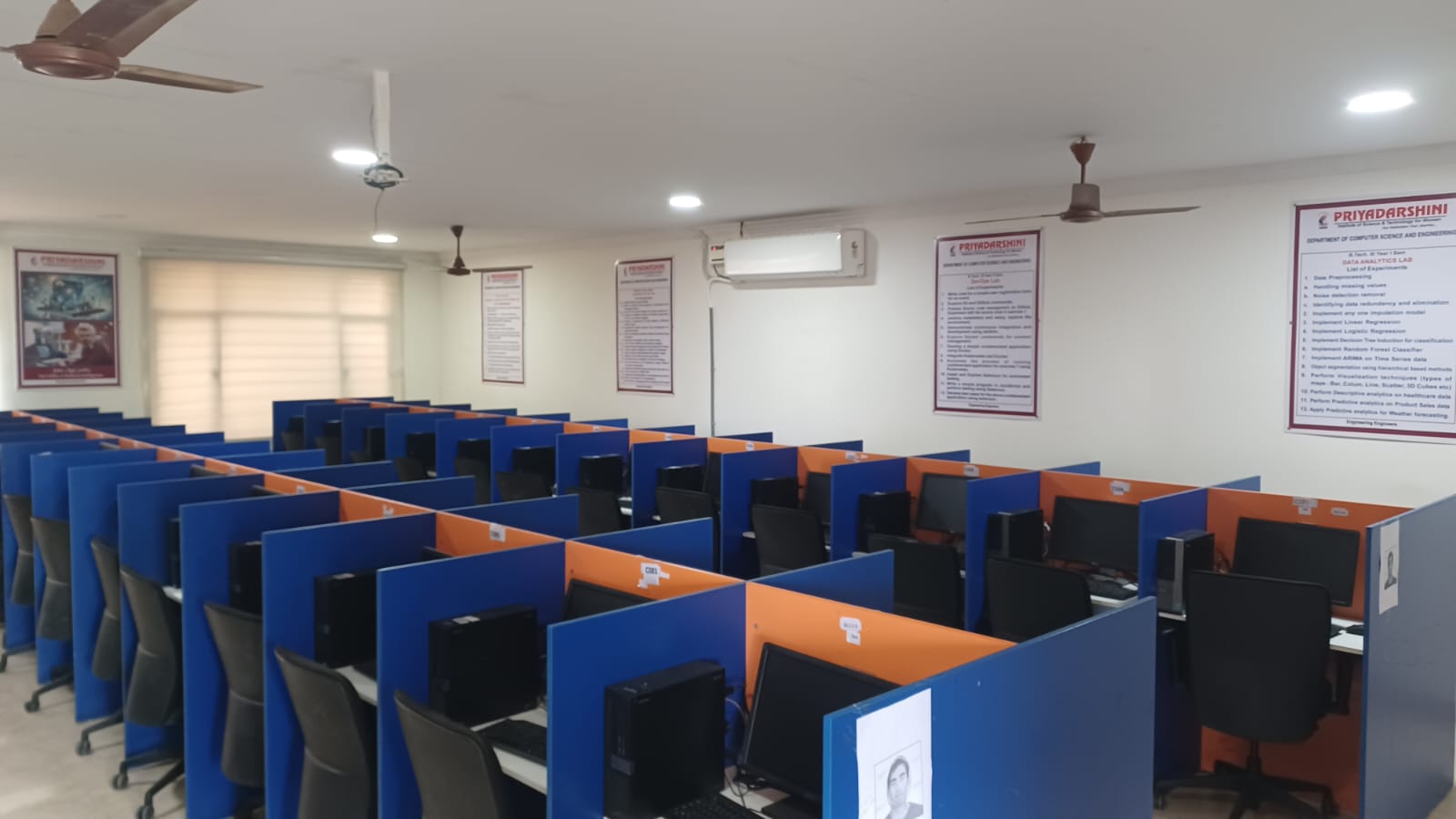
This combined curriculum focuses on modern full-stack web development, training students in Node.js (backend JS), React.js (frontend UI), and Django (Python backend) to build scalable single-page applications (SPAs) and robust APIs. Objectives include mastering REST APIs, CRUD operations, state management, and real-time interaction
Objectives
- Develop Proficiency: Master server-side programming (Node.js/Django) and client-side design (React.js).
- Build Full-Stack Apps: Learn to create, read, update, and delete (CRUD) data across a complete web stack.
- Implement Modern JS: Understand ES6 features like callbacks, promises, and async/await.
- Database Management: Interact with SQL and NoSQL databases
Facilities
- Environment: Installation of Node.js (with NPM), Python (with pip), and virtual environments.
- IDEs/Editors: Use of Integrated Development Environments (IDEs) such as Visual Studio Code or WebStorm for debugging and development.
- Database Tools: MySQL, PostgreSQL, or MongoDB for data persistence.
- Browser Tools: Chrome Developer Tools for frontend testing.
Outcomes
- Responsive UI: Design and develop interactive, responsive single-page applications (SPAs).
- API Development: Build, test, and consume RESTful APIs using Django Rest Framework or Node/Express.
- Component-Based Architecture: Create reusable components and manage application state efficiently.
Deployment: Capable of deploying full-stack applications to cloud platforms.
Database Management Systems Lab
A Database Management Systems (DBMS) Lab is a core practical component in computer science engineering curricula designed to bridge the gap between theoretical database concepts and practical application. It provides hands-on experience in designing, creating, and manipulating databases using industry-standard tools.
Objectives
The primary objectives of the DBMS Lab are to:
- Implement Theoretical Concepts: Apply relational algebra, data models, and normalization techniques (1NF, 2NF, 3NF) in practical scenarios.
- Master SQL: Enable students to design and query databases using SQL, including joins, subqueries, and aggregate functions.
- Develop PL/SQL Skills: Practice developing database applications using triggers, procedures, and cursors.
- Ensure Data Security & Integrity: Understand how to enforce constraints and manage database security.
- Prepare for Industry: Build skills relevant to industry requirements for handling real-world data.
Facilities
The lab is usually equipped with modern computing infrastructure to support database operations.
- Hardware: Networked computer systems.
- Software (RDBMS): Oracle (11g/12c/19c), MySQL, PostgreSQL, or Microsoft SQL Server.
- Modeling Tools: Tools for creating ER diagrams and UML, such as Lucidchart, ERDPlus, or SmartDraw.
- Other Resources: Lab manuals, sample databases, and case study documentation.
Outcomes
Upon successful completion of the DBMS Lab, students will be able to:
- Design and Implement Relational Databases: Create normalized database schemas for real-world applications.
- Manipulate Data: Write complex SQL queries to create, update, and retrieve data efficiently.
- Implement Advanced Database Features: Utilize triggers, procedures, and cursors to automate and manage database tasks.
- Ensure Data Integrity: Apply integrity constraints to protect data quality.
- Develop Application Interfaces: Create database-backed applications, often using front-end tools.

Java Programming Lab

The Java Programming Lab provides a practical environment for students to master object-oriented programming concepts using the Java language. It covers fundamentals like data types, loops, and arrays, along with advanced topics such as inheritance, exception handling, multithreading, and Database Connectivity (JDBC)
Objectives
- Master OOP Principles: Understand and implement encapsulation, inheritance, polymorphism, and abstraction.
- Develop Robust Applications: Implement exception handling and multithreading to create secure, reliable applications.
- Learn Java API: Utilize rich libraries for file I/O, collections, and networking.
- GUI Development: Create interactive applications using AWT components and Swing.
- Database Connectivity: Retrieve and update data from relational databases using JDBC.
Facilities
- Hardware: Standalone computers (e.g., Intel-based PCs) or servers supporting 30+ terminals.
- Software: Java Development Kit (JDK 8+), Integrated Development Environments (IDEs) such as Eclipse, NetBeans, or IntelliJ IDEA.
- Environment: Typically Linux or Windows-based systems with network access.
Outcomes
Upon completion of the lab, students will be able to:
- Apply the concepts of classes, objects, and constructors to solve simple programming problems.
- Develop robust Java applications using inheritance, interfaces, and packages.
- Implement exception handling and multithreading for concurrent tasks.
- Utilize I/O streams and file handling to manage data persistence.
- Create interactive GUI applications using Swing/Applets and establish database connectivity using JDBC.
- Use the Java Collections Framework to organize and manipulate data effectively
Prolog/ Lisp/ Pyswip lab
This overview covers symbolic AI programming languages (Prolog, Lisp) and Python-based logic programming (PySwip). Prolog focuses on logic/facts, Lisp on functional programming and lists, and PySwip bridges Prolog with Python. They facilitate building expert systems, solving constraint satisfaction problems, and symbolic reasoning, with outcomes including proficiency in declarative/functional paradigms.
OBJECTIVES
- Symbolic Reasoning: Understand the principles of symbolic AI, including knowledge representation and rule-based systems.
- Declarative Programming: Learn to represent problems as sets of facts and rules rather than procedural steps (Prolog).
- Functional Programming: Learn to manipulate data using recursion and functions (Lisp).
- Language Integration: Bridge declarative logic programming with imperative Python programming (PySwip)
FACILITIES/FEATURES
- Prolog:
- Facts/Rules: Definitive patterns defining relationships.
- Backtracking: Automatic searching for solutions.
- Unification: Pattern matching capability.
- Lisp:
- Recursion: Primary mechanism for looping.
- List Manipulation: Powerful tools for handling data structures, such as car, cdr, and cons.
- PySwip:
- Foreign Language Interface: Enables Python to call Prolog predicates seamlessly.
OUTCOMES
- Logical Programming Ability: Ability to formulate complex problems into logical queries and facts (e.g., Solving the Water Jug problem or Monkey and Banana problem).
- AI Application Development: Ability to build expert systems or knowledge bases.
- Hybrid Development: Ability to integrate Prolog's reasoning power with Python's libraries using PySwip.
- Paradigm Proficiency: Understanding the difference between declarative (Prolog), functional (Lisp), and procedural (Python) programming

Machine Learning Lab

The Machine Learning (ML) Lab is designed to provide students and researchers with hands-on experience in implementing AI algorithms to analyze, predict, and extract insights from data. It bridges theoretical concepts with practical application, focusing on supervised, unsupervised, and deep learning techniques.
- Understand Data Preprocessing: Learn techniques for handling missing values, selecting attributes, and cleaning data before model training.
- Implement Algorithms: Implement key machine learning algorithms such as Decision Trees, Naïve Bayes, Support Vector Machines (SVM), and Neural Networks (ANN/CNN).
- Evaluate Models: Evaluate algorithm performance using metrics like accuracy, confusion matrix, precision, and recall.
- Real-World Application: Apply machine learning solutions to real-world problems such as fraud detection, image identification, and classification tasks.
- Unsupervised Learning: Experiment with clustering techniques (e.g., K-Means) to identify patterns in unknown datasets.
Facilities
- Hardware: High-performance computers (PCs/Workstations) with suitable RAM (e.g., 4GB or higher) and fast processors for data processing.
- Software: Python (with libraries like Scikit-learn, Pandas, NumPy), Anaconda distribution, R Studio, Weka.
- Infrastructure: Dedicated lab space with internet connectivity and access to real-world dataset repositories (e.g., UCI Machine Learning Repository).
Outcomes
Upon completion of the lab, students will be able to:
- Implement ML Algorithms: Develop and demonstrate machine learning algorithms to solve complex data analysis problems.
- Analyze Datasets: Apply appropriate preprocessing techniques and choose suitable algorithms for given datasets.
- Build Predictive Models: Design and implement classification and regression models for predictive analytics.
- Evaluate Performance: Analyze the limitations and complexity of ML models to enhance performance.
- Visualize Data: Use visual analytics to discover patterns and structure within data
Computer Networks Lab
The Computer Networks (CN) Lab is a fundamental facility in Computer Science and Engineering (CSE) and Electronics and Communication Engineering (ECE) departments. It provides practical, hands-on experience in the design, configuration, simulation, and troubleshooting of networking protocols and infrastructure
OBJECTIVES
The primary objectives of the Computer Networks Lab are to:
- Understand Protocols: Gain practical knowledge of working principles of TCP/IP, error control, flow control, and routing algorithms.
- Implement Simulations: Utilize network simulator tools (e.g., NS2, NS3) to visualize topology and analyze network performance.
- Build Topologies: Assemble and configure networks using devices like routers and switches.
- Develop Network Applications: Implement client-server applications and socket programming in languages like C/C++ or Java.
- Troubleshoot Networks: Familiarize students with network troubleshooting tools (e.g., ping, traceroute, netstat)
FACILITIES
- Hardware: High-speed Desktops/Workstations (Intel Xeon/Core i7), LAN trainers, Cisco Routers, Switches, and Firewalls.
- Simulation Software: NS2 (Network Simulator 2), NS3, OPNET, GloMoSim, NCTUns.
- Configuration Software: Cisco Packet Tracer, Wireshark (packet analysis), PUTTY, Linux Environment (Ubuntu).
- Networking Tools: Cable testers, UTP cables, RJ45 connectors.
Course Outcomes (COs):
- Ability to understand and implement Data Link Layer framing methods (Bit stuffing, Character stuffing).
- Ability to develop programs for Error Detection (CRC) and Error Correction.
- Proficiency in simulating wired/wireless network topologies using tools like NS2.
- Skill in implementing routing algorithms (Distance Vector, Link State) and flow control.
- Competence in developing network applications using Socket Programming
Natural Language Processing Lab
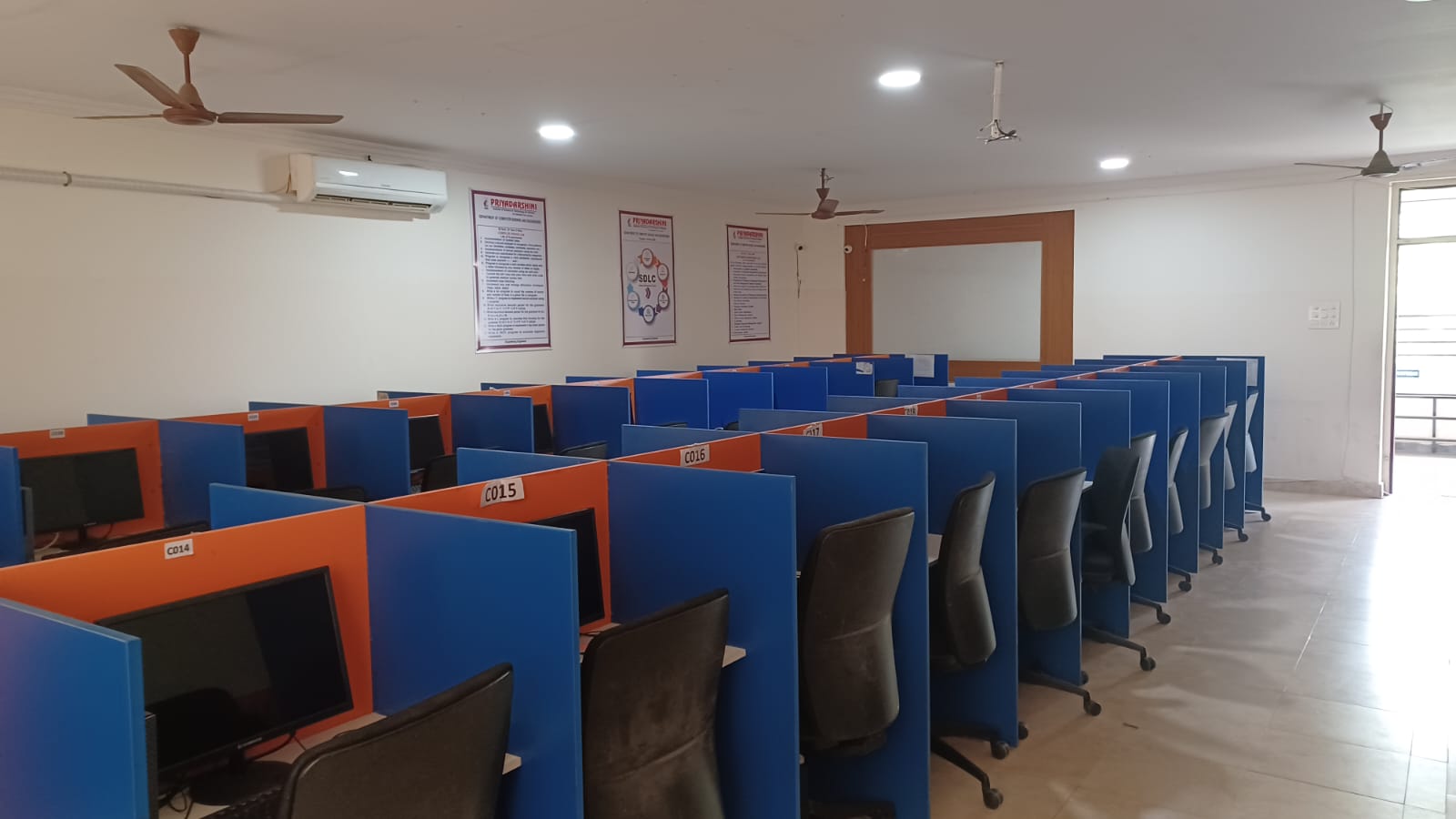
A Natural Language Processing (NLP) Lab is a specialized research and teaching environment designed to enable computers to understand, interpret, and generate human language. These labs bridge the gap between human communication and machine understanding, combining computer science, artificial intelligence, linguistics, and machine learning to develop intelligent systems
Objectives
- Skill Development: To introduce students to fundamental NLP concepts (tokenization, stemming, lemmatization) and advanced techniques (Parsing, N-gram models).
- Hands-on Experience: To provide training in industry-popular NLP libraries like NLTK, spaCy, TensorFlow, PyTorch, and Gensim.
- Application Design: To teach the creation of functional applications such as chatbots, spam filters, fake news detectors, and machine translation systems.
- Research Innovation: To promote research in specialized areas such as healthcare diagnostics, automated customer service, and social media analysis
Facilities & Infrastructure
- Hardware: High-performance computing machines, frequently featuring GPUs (NVIDIA) for training deep learning models efficiently, often in a 1:1 ratio.
- Software
- Languages: Python (preferred), R.
- Libraries: NLTK, spaCy, Transformers (Hugging Face), Scikit-learn, Keras, TensorFlow, PyTorch.
- Environments: Jupyter Notebook, Anaconda, Google Colab.
- Resources: Access to vast text corpora (e.g., WordNet, Penn Treebank) and specialized domain-specific datasets
Outcomes
- Core Competencies: Students will be able to implement NLP pipelines, from cleaning raw text to feature extraction and modeling.
- Technical Proficiency: Ability to work with advanced methods like word embeddings (Word2Vec, GloVe) and Transformer-based models.
- Application Development: Ability to build and evaluate NLP solutions like sentiment analyzers, text summarizers, and parsers.
- Analytical Skills: Ability to choose appropriate algorithms (logistic regression, naive bayes, or neural networks) for text classification and semantic similarity tasks.
- Real-world Impact: Ability to translate unstructured text data into actionable insights for business or research.
UI design- Flutter LAB
Flutter is an open-source UI software development kit by Google for building natively compiled applications for mobile, web, and desktop from a single codebase using the Dart language. It is known for its high-performance rendering engine, "Hot Reload" feature for fast development, and a rich set of customizable, expressive widgets
- Master Flutter Framework: Understand architecture, widget tree, and rendering mechanisms.
- Design & Implementation: Create visually appealing, responsive user interfaces.
- State Management: Explore techniques like setState, Provider, and Bloc.
- Navigation & Styling: Implement navigation, routing, themes, and animations
- SDK & Tools: Flutter SDK and Dart SDK.
- IDE/Editor: Android Studio, VS Code, or IntelliJ IDEA.
- Emulators/Devices: Android Virtual Device (AVD) or iOS Simulator.
- Debugging Tools: Flutter DevTools for performance profiling and UI inspection.
- Responsive Applications: Ability to build apps that adapt to various screen sizes.
- Custom UI Components: Capability to create custom widgets and complex layouts.
- API Integration: Proficiency in fetching and displaying data from REST APIs.
- Deployment: Ability to deploy apps on different platforms (Android/iOS/Web).
Data Analytics Lab
A Data Analytics Lab is a specialized facility designed to provide hands-on experience in collecting, cleaning, analyzing, and visualizing large datasets to extract actionable insights. These labs support academic curricula, research, and industrial applications by using modern data science tools.
Objectives
- Core Concepts: To impart foundational knowledge of data analytics using statistics and probability.
- Tool Proficiency: To provide training in industry-standard software and programming languages such as Python, R, Hadoop, and SQL.
- Problem Solving: To enable students to identify business trends, patterns, and correlations.
- Visualization: To teach effective data visualization techniques to present complex findings clearly.
- Advanced Analytics: To explore machine learning, deep learning, and text mining techniques.
Facilities & Tools
Modern Data Analytics Labs are equipped with high-performance computing systems and specialized software.
- Software/Languages: Python (Pandas, NumPy, Scikit-learn, Matplotlib), R, SQL, MATLAB.
- Big Data Technologies: Apache Hadoop, HDFS, Spark, MapReduce, Hbase, Hive, Pig.
- Visualization Tools: Tableau, Power BI, Matplotlib.
- Infrastructure: Cloud access (AWS/Rackspace) and networked computer systems
Outcomes
Upon completion of training in the Data Analytics Lab, users are expected to:
- Analyze Complex Data: Extract, clean, and analyze datasets from various sources.
- Apply Machine Learning: Build, test, and apply predictive models (e.g., Regression, Decision Trees).
- Process Big Data: Implement MapReduce programs to handle large datasets using Hadoop.
- Perform Visualization: Create visual representations of data to support decision-making.
- Solve Real-world Problems: Apply analytical techniques to business, manufacturing, or scientific problems.
- Technical Proficiency: Actively use modern tools to generate actionable insights and reports.
Cloud Computing lab
A Cloud Computing Lab provides a hands-on environment for students and professionals to understand, design, and deploy cloud-based applications, services, and infrastructure. It bridges theoretical knowledge with practical skills in virtualization, service models (IaaS, PaaS, SaaS), and cloud simulation
OBJECTIVES
The key objectives of the Cloud Computing Lab are:
- Fundamentals Understanding: To introduce the fundamentals of cloud computing, its technologies, challenges, and applications.
- Virtualization Mastery: To gain proficiency in configuring virtualization tools (e.g., VirtualBox, VMware, KVM) to increase resource utilization.
- Platform Experience: To provide hands-on experience in setting up and managing private clouds (e.g., OpenStack) and using public cloud providers (AWS, Azure).
- Application Deployment: To learn how to develop, deploy, and manage web applications and databases in the cloud.
- Performance Optimization: To simulate cloud environments and implement load balancing algorithms for improved resource usage.
FACILITIES / SOFTWARE & HARDWARE
A standard Cloud Computing Lab is equipped with:
- Hardware: High-performance standalone desktops/nodes (e.g., 30+ units) with virtualization-enabled processors.
- Virtualization Tools: Oracle VirtualBox, VMware Workstation, KVM (Kernel-based Virtual Machine), Xen.
- Cloud Platforms/Simulators: CloudSim, CloudAnalyst, Eucalyptus, OpenStack, Google App Engine (GAE).
- Commercial Cloud Access: Amazon Web Services (AWS - EC2, S3, RDS, IAM), Microsoft Azure, Salesforce platform.
- Containers & Big Data Tools: Docker, Kubernetes, Hadoop.
- Operating Systems: Linux (Ubuntu, CentOS) and Windows.
OUTCOMES
After completing the lab exercises, learners will be able to:
- Configure Virtualization: Install and configure different hypervisors and create virtual machines.
- Deploy Cloud Services: Deploy applications on PaaS platforms (e.g., GAE) and manage infrastructure using IaaS.
- Simulate Environments: Use cloud simulators to evaluate scheduling algorithms and analyze data center performance.
- Implement Private Cloud: Setup and manage a private cloud environment using open-source tools like OpenStack or Eucalyptus.
- Ensure Cloud Security: Implement security measures (e.g., IAM, MFA) and manage data storage securely using AWS S3 or Azure.
- Containerize Applications: Develop and manage containerized applications using Docker and Kubernetes.
- Develop Mini Projects: Design and implement a full-stack cloud application using modern cloud computing techniques
Node JS/ React JS/ Django lab
This combined curriculum focuses on modern full-stack web development, training students in Node.js (backend JS), React.js (frontend UI), and Django (Python backend) to build scalable single-page applications (SPAs) and robust APIs. Objectives include mastering REST APIs, CRUD operations, state management, and real-time interaction
Objectives
- Develop Proficiency: Master server-side programming (Node.js/Django) and client-side design (React.js).
- Build Full-Stack Apps: Learn to create, read, update, and delete (CRUD) data across a complete web stack.
- Implement Modern JS: Understand ES6 features like callbacks, promises, and async/await.
- Database Management: Interact with SQL and NoSQL databases
Facilities
- Environment: Installation of Node.js (with NPM), Python (with pip), and virtual environments.
- IDEs/Editors: Use of Integrated Development Environments (IDEs) such as Visual Studio Code or WebStorm for debugging and development.
- Database Tools: MySQL, PostgreSQL, or MongoDB for data persistence.
- Browser Tools: Chrome Developer Tools for frontend testing.
Outcomes
- Responsive UI: Design and develop interactive, responsive single-page applications (SPAs).
- API Development: Build, test, and consume RESTful APIs using Django Rest Framework or Node/Express.
- Component-Based Architecture: Create reusable components and manage application state efficiently.
Deployment: Capable of deploying